InnovaMetric — The All-in-One Platform for Marketing Agencies
EN ES
The all-in-one platform for agencies

One platform for the whole agency, from the brief to the report.

Analytics and reporting, project management, creative AI, synthetic research and marketing utilities in one place — connected through the same clients, brands and data. Give each client their own login, all under your brand.

Plan Create Approve Publish Track Report
The platform

Everything an agency runs, in one place.

Measure, plan, create, test and activate: five connected modules that share the same clients, brands and data, so nothing gets exported and re-imported between tools.

01

Social analytics & reports

Live dashboards and reports for every client, with the insights already worked out.

  • Account dashboardsKPIs and Key Insights vs previous period
  • Social HubPublish, reply and listen in one place
  • Reports & calendarScheduled reports for every client
  • TrendsGoogle Trends map by country
  • BrandsIdentity, voice and guidelines
  • Brand Sentiment BetaWeb listening beyond social networks
  • IntegrationsConnect networks · synced daily
02

Project management

Plan the work for every client and run it from the same tools that produce it.

  • My workYour tasks across every client
  • Project hubOverview, board and Gantt timeline
  • ApprovalsReview the output, approve or ask for changes
  • TimesheetsHours per task and per week
  • Linked to productionStart a task in the tool and the result links back
03

Creative AI suite

Generate, adapt and automate on-brand content.

  • Content generationCopy, images and video
  • Asset adaptationResize, translate and template
  • WorkflowsAutomate generation with blocks
  • Prompt BuilderReverse-engineer and tune prompts
  • Creative StudioPre-test results and behavioral levers
  • Mailing BuilderImage to email-ready HTML
  • Asset LibraryAll your files in one place
04

Synthetic research

Test ideas with synthetic focus groups before you produce them.

Add-on
  • Evidence LibraryUpload research, search it semantically
  • Synthetic Personas1 to 20 personas per batch
  • Creative SimulationPre-test ads with up to 8 personas
05

Marketing utilities

Small tools for campaigns, measured in the same reports.

  • QR codesDynamic, with logo and analytics
  • Short linksAlias, password and expiry
  • Tracking pixelCookieless events and navigation flow
  • WhatsApp broadcasting PartialSend messages at scale
  • Chatbot Builder PartialDesign conversation flows
Reporting

Stop screenshotting every platform into a deck.

Each client’s month, ready to adjust and send.

Editable PowerPoint PDF, on a schedule Live dashboard Insights, built in
Why InnovaMetric

Making a post isn’t the hard part anymore.

Every team can generate content today. What’s hard is keeping it organized, approved, published, and reported for every client when the work is split across disconnected tools.

With InnovaMetric

  • Planning, content, approval, and publishing in one place
  • The report builds itself, insights and sentiment included
  • The client opens their own dashboard, anytime
  • One platform and one subscription cover every client

Today, without it

  • Tasks in one tool, content in another, results in a third
  • Someone rebuilds the deck by hand every month
  • The client waits for an email to know what happened
  • Every new client means another subscription

See one client’s last month, reported.

Ask for a pilot for your agency, or connect one of your clients in a walkthrough.

For agencies

Your clients log in to your brand, not ours.

On Agency and Enterprise, clients see your name on the domain, the emails, and the reports.

Their own login
Your domain
Your logo
One subscription

It runs in the cloud. There is nothing for your team or your clients to install.

What’s included

Everything between the brief and the report.

Make the content. Prove it worked.

Planning

Project hub

Progress, overdue work and phases, with a board and a Gantt timeline.

Tasks with owners

Assignee, reviewer, dates, estimate, checklist, comments and attachments.

Start from the tool

Open content generation, adaptations, mailings or QR codes from a task; what you create links back to it.

Approvals & timesheets

Review the output, approve or ask for changes, and log hours per task and per week.

Content

Content generation

Copy, images, and video from the brief, ready to review.

Asset library

Images, video, audio, and documents for each brand, searchable by tag.

Client approval

Clients approve inside their own account — no email threads.

Publishing calendar

Approved posts publish to each network from one screen.

Reporting

Automated reports

PowerPoint or PDF, on demand or on a schedule.

AI Insights

KPIs, performance reads, and comment sentiment, done in seconds.

Competitor pages

Public followers, fans, and activity for a competitor’s page, next to the client’s.

Pixels, links & QR

Every placement measured, online and off.

Chatbots

Flows set per language and country. How many you get depends on the plan.

WhatsApp

Broadcasts for clients who talk to their customers there.

How it works

From brief to report, in one place.

The work your team already does — planning it, generating content, approving it, tracking it, and reporting — stays on each client’s brand instead of being scattered across disconnected tools.

01
The client

Connect them

Open a space for the client and connect their social pages, ad accounts, and web analytics. Their history comes in when you connect, so the first report doesn’t start from zero.

02
The content

Make it

Three directions for the copy, plus images and video in the brand style, so the team picks one instead of waiting on another round. Each piece can start from a task and link back to it.

03
The approval

Get it approved and scheduled

The client approves posts in their own account. Approved posts go on the calendar and publish from there.

FacebookInstagramTikTokYouTubeLinkedIn
04
The placement

Track it

A pixel, a short link, or a QR code goes out with the placement. Clicks, scans, and site visits come back on the client’s brand.

05
The report

Send it

The client’s page sits next to their competitors’.

SocialAdsWeb analyticsLinksQR codes

It arrives as an editable PowerPoint or a PDF, on demand or on a schedule.

KPIs, performance reads, and comment sentiment come built in — the deck doesn’t start blank.

What the report shows becomes the next brief.

Every placement

The poster counts too.

QR codes and short links go out with print, packaging, and out-of-home. The scans land in the same client report as the social numbers.

Premium add-on

Test the campaign before you produce it.

Synthetic Focus Groups puts the copy and the visual in front of modeled audience personas.

Priced separately from core plans. Ask about it in your walkthrough.

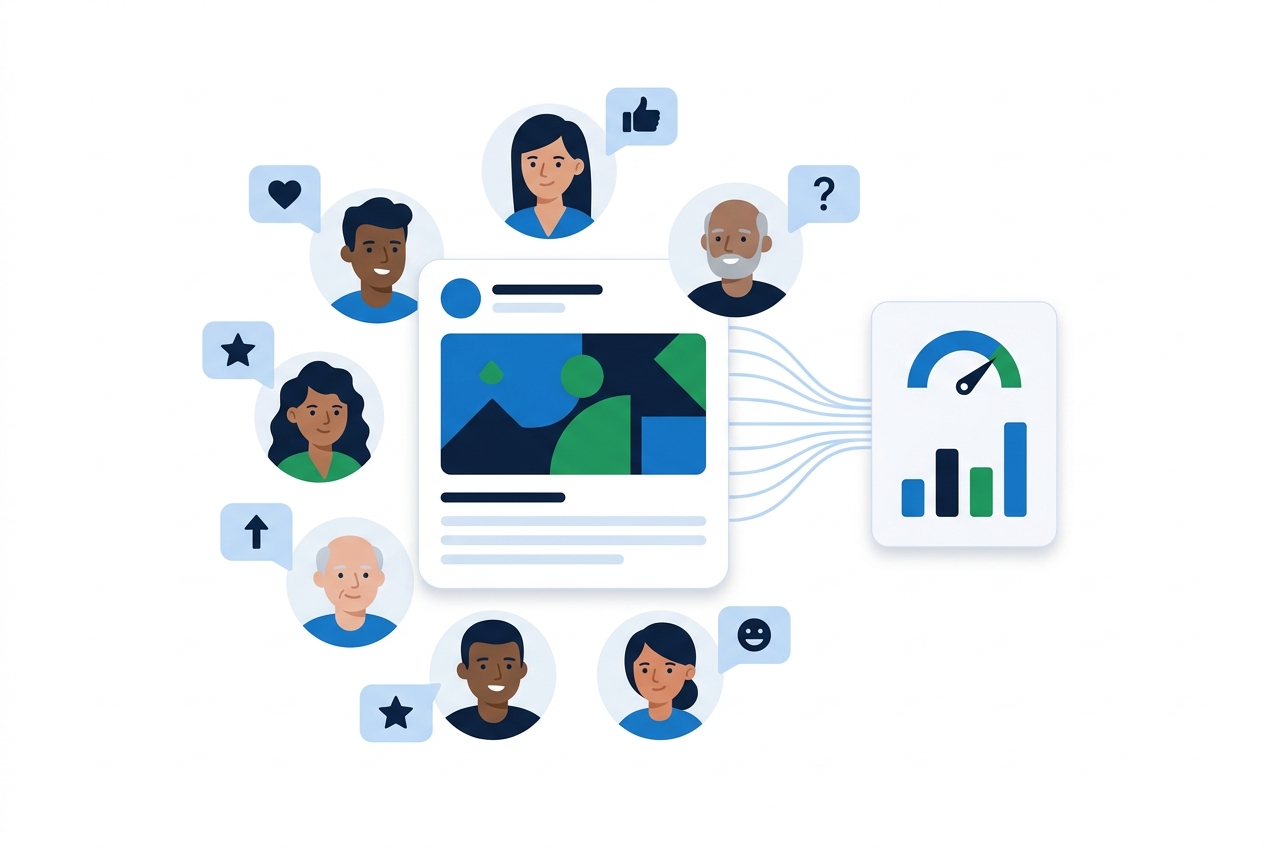
Modeled audience personas react to a social post, then the results appear as a report.

The reaction

How each persona is likely to respond.

Recommendations

Ranked by priority, with the reason for each.

Executive PDF

Something you can show the client before they approve.

Works with your clients’ channels

Publish to and report on the networks they already use.

Facebook Instagram TikTok YouTube LinkedIn Google Analytics
FAQ

What agencies ask first.

Is this one platform or several tools?

One platform. Analytics and reports, project management, the creative AI suite, synthetic research and marketing utilities share the same clients, brands and logins, so nothing is exported and re-imported between tools.

What does the client report look like?

By default it is a PowerPoint in a clean theme, with curated views, performance reads, and comment sentiment already worked out, ready for your team to edit before it goes to the client. It can also be a PDF, downloaded when you need it or sent on a schedule. Clients can also open live dashboards in their own account.

What is “AI Insights”?

It’s the analysis behind your report: KPIs and graphs for the brand, period, and account you’re viewing, plus a plain-language read on how the content and the numbers performed, including comment sentiment and topics. It runs in seconds, and it’s included from Growth up. Enterprise includes Advanced AI Insights.

Can our clients log in?

Yes, on Agency and Enterprise. Each client has their own account, with their own users. They can approve posts, see their dashboards, and download or schedule their reports. They never see another client’s work.

What does white-label cover?

Everything the client sees: your domain, logo, and colors, plus branded emails and exported reports. No InnovaMetric branding is shown. It runs in the cloud, so there is nothing to install.

Which channels does it cover?

You can publish to and report on Facebook, Instagram, TikTok, YouTube, and LinkedIn. Reports also include paid ads, Google Analytics, and our tracking pixels, short links, and QR codes.

What happens when we connect a new client?

We pull their history from each connected account, then keep it up to date automatically. The first report has something to compare against.

Can we get our data out?

Yes. The data belongs to you and your clients, and it can be exported. Growth, Agency, and Enterprise also include API access.

Do we need our own AI model?

No. A model is included in the subscription. If you would rather use your own, you can bring an API key.

Can we try it before we commit?

Yes. Ask for a pilot in the form below and tell us how many clients you manage. We’ll propose one that fits.

Contact

See one client’s last month, reported.

In the walkthrough, connect one of your clients’ accounts. Their history comes in when you connect, and we walk through last month as a report you could send.

Not ready to connect a client? Ask for a pilot for your agency instead.

Rejoining the server...

Rejoin failed... trying again in seconds.

Failed to rejoin.
Please retry or reload the page.

The session has been paused by the server.

Failed to resume the session.
Please retry or reload the page.